Photography by Ginger Rodriguez

Photography. Such a wonderful art. Creating the picture just the way you want it requires so much creativity, but has anyone thought about the process in which you need to make the actual camera itself? The mechanism that shares with the world, your point of view. During this module, I learned to make a camera! A camera that actually takes a real picture!

This process wasn’t easy, my teammates had to go through the process of trial and error. Even when we felt so done with everything, we all realized that we were already so far, we couldn’t give up now!

After a lot of handwork, we finally got a photo! We were so proud! I wish I could do this module again, I had so much fun! I didn’t even know the people who I was working with that well, but working on this module together really brought us closer-not just as friends-but as teammates and partners!

Videography Mayrin S.

Videography


Hi my name is Mayrin S. and my blog is about Videography. Videography is amazing because it makes you a better videographer. Our group decided to do videography. At the beginning it was easy because it was just to turn a picture with the Rule of Thirds. Like in this picture the 2 lines going vertically and the 2 lines going horizontally are the Rule of Thirds.

Our second challenge was to make a video about anything related to school. We did it about our mission statement. Our video was great. Our mission statement is “The Ann Richards School for Young Women Leaders dedicates itself to prepare young women to attend and graduate from college, commit to a healthy and well-balanced lifestyle, lead with courage and compassion, and solve problems creatively and ethically in support of our global community.”

Patience is key Sara P.

In this past module that I did with my group, we made a pinhole camera. There were a lot of complications, but the ending result was astonishing. My group and i successfully managed to take a picture with this pinhole camera.

I have to admit this has been one of the most stressful modules that I’ve ever done. First step was to make the camera. We used a recycled caprisun juice box and we taped it up into its original shape. One of the complications in this step was that we had to make sure that the box let no sunlight in. The next step was loading the camera with film.

After loading up the camera, we went outside and tried to capture a picture of an object. We picked up the piece of paper that acted as a shutter, and we left the camera on a still surface for an increment of 45 seconds. We went back into the dark room and processed the film, it came out all black. There was too much light exposure. We loaded up the camera again and tried to take another picture with a less amount of sunlight exposure. We went back to the dark room. It came out completely black, again. We kept on decreasing the time of sunlight exposure, until we successfully got an image. We were all astonished.

This module was all about trial and error, we had to look at results and change the variables as we got results. This was a stressful module. It took my team and I at least 9 tries to get our final product. Patience is what this module taught me. You need patience for all sorts of jobs, and if you don’t have the patience for trying to make a camera work, the you surely have to practice on being patient.

Always Follow Instructions- Isabella Baladez

While working on my previous project I realized something very important. Always follow instructions, unless it asks you to intervene. Something very bad could happen, and your end product could come out wrong or incomplete. During my pinhole camera project I didn’t follow the instructions exactly, and in the end we didn’t get the results that we wanted. In our most recent project, which was screen printing, I made sure to follow the instructions exactly as they were written, to make sure I got it perfect. Even after I followed all the instructions as well as I could, I still messed it up. The lesson I am trying to convey is to always follow the instructions to the best of your ability. Sometimes following the instructions is hard; maybe you don’t have the right materials, maybe you don’t understand what it says, whatever the circumstances, you still need to follow the instructions as much as you can. To make sure that you are following the instructions correctly, I would suggest using instructions with pictures, so that you can compare what you’re doing to what they did. If you can’t find instructions with pictures, find a simple set of instructions, one without big words, or with very detailed steps. These methods may help you get a better product.

Construction and Fabrication Basis Vanessa Mireles

image

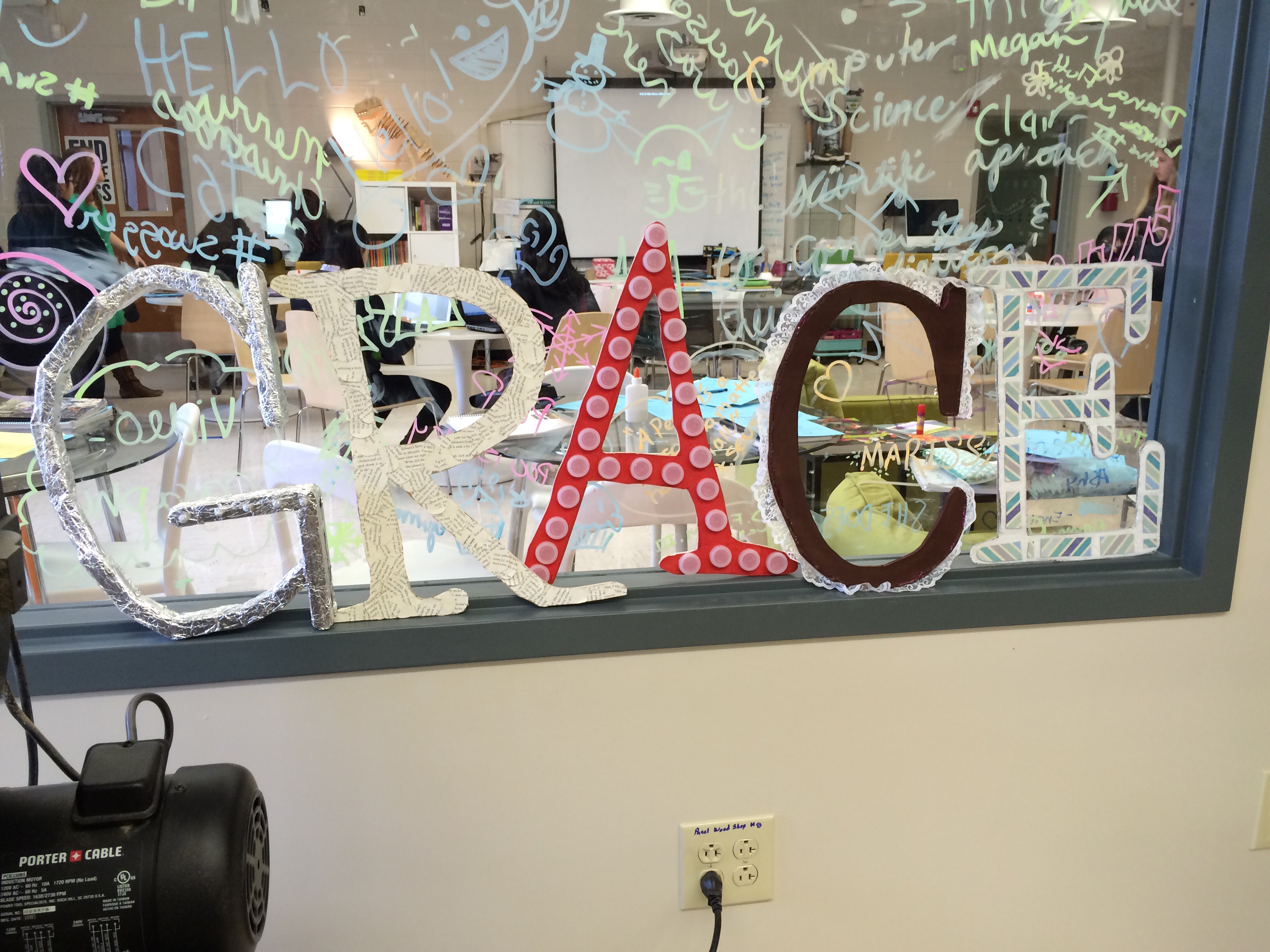
The module that I did for this 6 weeks was Construction and Fabrication- Materials. The letters needed to be made out of recycled materials. We needed to choose a word that represented our school and we were going to choose Graceful, but for short we did Grace.

First we thought of recycled materials we could use. For three of the letters R, A, and C we used wood. Letter G we used styrofoam and for E we use cardboard. When we went and asked Ms.Sauter if she had recycled wood in her class and she said “There’s a wooden crate outside, you can use that.” When we went outside we saw the wood and cardboard. Karla said “Okay, let’s get some of the cardboard,” and Lendy said “Ms.Sauter said to get the Crate.” We went with the cardboard.

Later Ms.Sauter came outside and the Cardboard was all ripped apart. What we really needed to take apart was the wooden crate. So we started to take apart the wood and we used that as the three letters. The carton, we found in a recycling bin and the styrofoam we had found in a box. We use mostly the Bandsaw to cut the pieces of wood. When the letters were all done we painted them and put recycled materials as decorations like water bottle caps, letters from magazines and cloth.  The letters came out looking really good.

What I learned from this module was how to use the Bandsaw to cut wood. I think that learning to use this tool will help me a lot in the future if I were to choose another Construction module or this engineering pathway. I also learned how to make a decoration for my room, I could to do my name and that would save my parents money. I could make something that I learned how to do in class.

Media (Videography)

Videography

The first challenge for the Videography module was to post a picture that contained the principle of “rule of thirds”. I had absolutely no idea what that was at first, even though I use it all the time (without knowing). Rule of Thirds is the idea of the focused object being away from the center of the picture frame, on the left side or right side. When my group and I went outside to take our picture, I thought about how many possibilities there were, how many options I had. I thought about how taking a picture is just like going back in time or remembering something, but having more clarity in the image. The camera is your point of view in this case, and you can use any angle to make it look the way you want.

The next challenge was to create video that showed our mission statement of the school. We were given a tripod and a camera. My group members had a lot of experience with cameras, while I didn’t really know what I was doing. But what made it easier was that we all had a big interest in making films and taking pictures.

We started walking around the school looking for different places we could record clips that we could edit into a short film. We tried the different shots from different angles, speeds, distances, etc. At one point we found a rubber duck on the floor and we thought it would be cute to incorporate it into our film, the duck would go on an adventure around the school. Sadly, we ended up not going with the idea, because we were too far into the module, but it goes to show how you can always make anything better.

We had some trouble finding some of the footage we had taken from previous classes, and where to store it, but we learned from our mistakes. We learned how to import, how to save to different devices, and how to move different files around.

Then came the best part. Editing the clips. In order to go on with the module, we had to import the clips into the imovie program. After we had done that, it was time for the actual work. Before we filmed the clips, we had an idea of what we wanted the overall film to look like, but when we tried it out on imovie, it didn’t really turn out how we planned. So we went through the process of deleting, adding, bringing back, making the clips faster, then slower. It was all over the place. Until we spent a good amount of time working on it all together and compromising. It became the best we could make.

The whole process of creating a media creation in this particular form is so much fun. Yet so much work. I mean, imagine what goes through a directors head while filming a movie. I enjoy taking pictures because I appreciate the beauty they hold, it just depends on how you interpret them. Videos are everywhere, we watch videos everyday, were surrounded by media everyday, so we should make the best of it.
Videography

Videography             Written by: Zoe Renteria

This six weeks my team and I chose to do the module videography which is excelling our skills in the pathway MediaTech. I was very happy to be going back to that pathway because I really enjoyed working with the Macs and being able to branch out creativity. In this module we had to create a video based on what we thought our mission statement means to us as Ann Richards girls. Throughout this process we shot in the best places around our school that we thought best represented our school, such as, the college center, library and many more. It was such a cool experience to see what we filmed be brought to life as we started to edit.


During this module we had to do a challenge on to get us prepared for our big challenge. A team members sister is majoring in the pathways mediaTech and she talked to us about the rule of thirds which really helped me in my challenge one. I had so much fun filming and editing our video, especially giving our own touch on it. After we put in our important content we thought that it would we add something more fun into it. While we were filming, I’m sure you can imagine that not every take was perfect; we had a lot of bloopers. So we thought why not add them, make everyone laugh. That was probably my favorite part; editing our video. I personally did a lot of the editing, so it was really fun adding music and backgrounds on the clips.


Doing this module our team learned a lot of valuable skills. We learned that when you’re taking a picture, it’s a lot more than just pressing the button; there is a technique and rules to taking a quality photograph or video. On our challenge two, we learned a lot about working with a camcorder and iMovie. We really got to know and play around with the program. I think that these skills will be very useful in our lives if we ever need to create a video for school.

We all really enjoyed this project and can’t wait for the next, we are now confident as we continue to explore the media tech pathway. We have no doubts that if we ever need to construct another video we will be able to do it with excellence.

Videography– Sammie S.

This six weeks my group worked mostly on the videography module. The videography module was good training for tackling the media tech pathway. It made me really excited to do things that will directly add to my skills that I’ll need for my high school pathway.
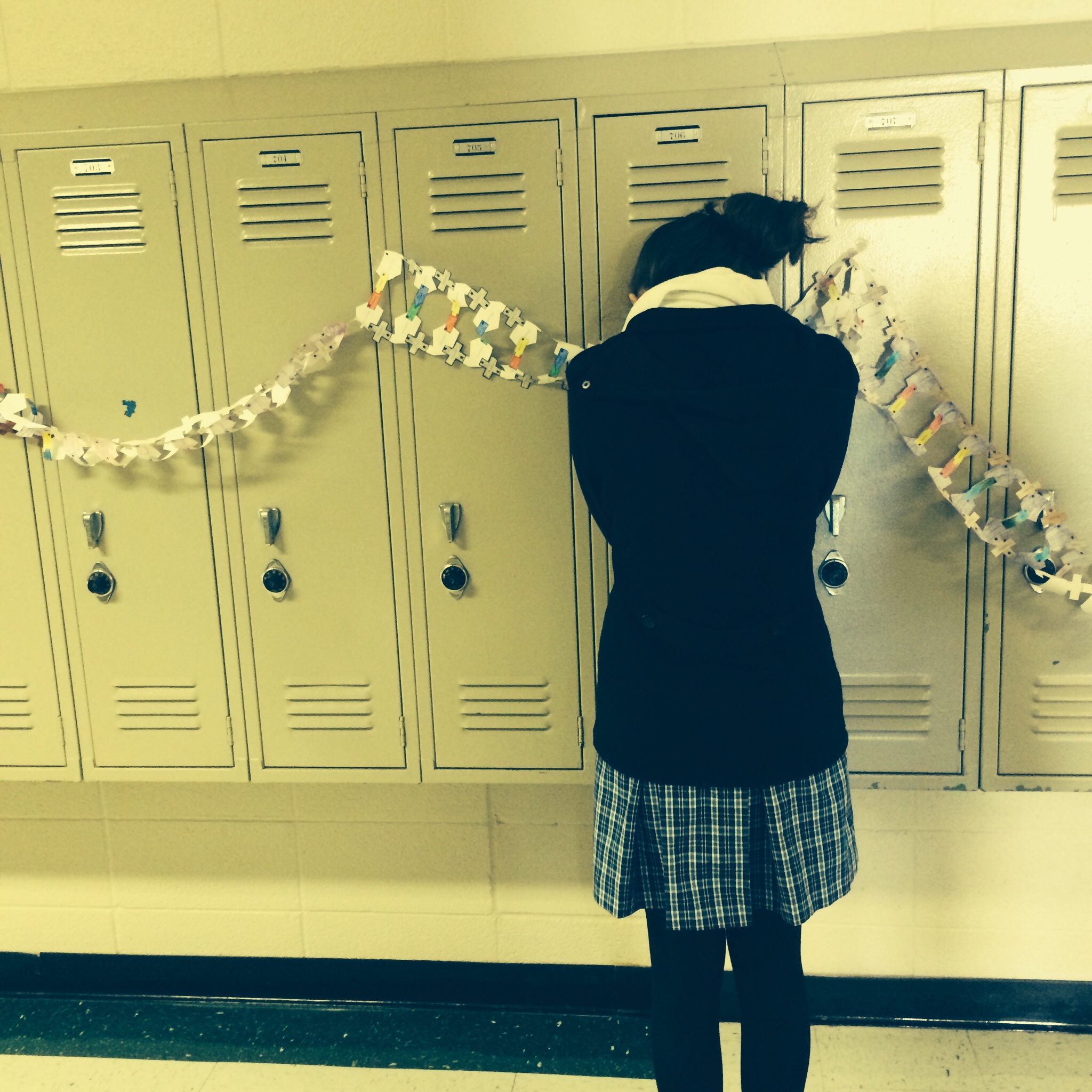
For our independent challenge, we had to take a picture using the rule of thirds. The rule of thirds basically explains that the suggested angle for the subject of a photo should veer to the left or the right. Imagine three vertical lines running evenly down a photo. The subject of your picture should rest on top of those lines. I took a picture of my teammate Helen huddling against the lockers. An IPhone actually conveniently gives you the option of grid lines, so that really helped.

rule of thirds

Our group challenge was to create a video representing the different parts of the mission statement. We had fun going all over the school, capturing the different parts that define our legacy.
Our mission statement is, “The Ann Richards School for Young Women Leaders dedicated itself to prepare young women to attend and graduate from college, commit to a healthy and well balanced life style, lead with courage and compassion, and solve problems creatively and ethically in support of our global community.”
We really hope our video reflects that. One shot we took was in the College Center. The College Center is a counseling office in our school. Our college advisor helps the seniors organize, and get ready to apply, and apply to college. Not even just the seniors; when I first came here in 6th grade, one of the first things they did was set us up with a Naviance account, which is a college search engine. The College Center has spirit flags from different universities. We decided that they would be a good way to represent the part of our mission statement that states, “dedicated itself to attend and graduate from college.” Isabella sat in a chair with the camera while we pushed her down the length of the room to get a shot at all of the flags.
We did a voice over of Isabella saying the mission statement. After we were done recording, we downloaded all of it, and started editing it in iMovie. After a while, we were finally done! It looked and sounded great, and we are really proud of it.
I think videography is a thing that you learn, and then you only get better at. I’m really glad that good video cameras are available to us to use at any time, and then the possibilities are anything we can think up.

Hour of Code 2014

Hour of Code 2014

Payton M.

This six weeks, our class participated in the Hour of Code 2014 by having an ARS Week of Code. We used Scratch, and made an animation of our names. Our whole school participated in the Hour of Code to support women in coding, and computer science fields.

There were three options of coding on the Scratch Hour of Code website, but we chose the “Animate Your Name” option, I’m assuming because it was the easiest to accomplish. The website walks you through each step of animating your name. It first shows you how to add a letter, and add color effects, and sound. It then shows you how to add the second letter, and how to add motion, like rotating or sliding.

The Scratch website showed us what coding is — its essentially telling a program what exactly it needs to do. In the real world, you don’t get a series of pre-fabricated commands to choose from and apply to your program. In the real world, you have to write the code yourself, and I’m pretty sure it’s not easy. But, it was fun to see the general idea of what coding is, and how it works.

Project lead the way

By:Lucero M.

This year is almost coming to an end and I have learned a lot while being in Pltw. It has been fun doing modules and learning about media technology, engineering, and biomedical. I have worked hard and it has all paid off because I have learned a lot, I’m still not sure on what pathway I want to take but I’ll keep learning and when the time comes I’ll know what I want to do. For now I’m hoping this upcoming year I’ll learn even more not doing modules but a maker project. I’m excited because I will be able to create something of my own and I’ll learn even more about the process of creating something new.

This class has really helped me develop new skills. I’m not sure if every middle school has this class but I hope they do because this class will help students develop new skills and help them decide what pathway they would want to take. Not only is this class great but if you have a great teacher like I do to guide you through every step of the way I’m sure you will find which pathway was meant for you. This class was created to help students learn about the different pathways and to be created and think outside the box and thats what I have been doing, it has been great being in this class and I can gladly say this is one of my favorite classes.

Since I have been in this class it’s has been a little challenging because this class is not like other classes, all of our work is in the computer and it has been fun having this new experience and I’m ready to learn more and have fun. I’m excited for this upcoming year, it will be great because I’ll have fun creating my maker project.