Recently I completed the screen printing module, and by completed i mean that every single thing that we did to try to fix our problems did not work so… it was a complete and utter failure, but I had fun while I did it so oh well.
The first thing that I had to do was create a design that related to all of the things that we had been doing in the makerspace. So because of that I made a biomedical prosthetic drawing to show the module that some of the biomedical students are working on:
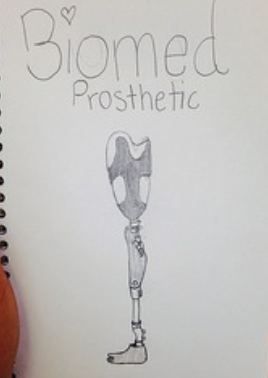
Design 1
This was the first drawing that I made for the screen printing. My group chose this one because it was the most realistic of all of ours (and we kind of didn’t want to redraw anything). But as I progressed through the module it quickly became clear that this design wasn’t going to work. We seemed to locate the source of the problem: there were too many details. All of the little things didn’t seem to be burning onto the screen and with this design the details were really important, because without them, it just didn’t look like a prosthetic leg. Instead it looked like a weird, creepy shape. That was not what I wanted it to look like, at all.
To combat this problem I created a new design with thick letters and doubled up the transparency sheets. The design on paper looked like this:
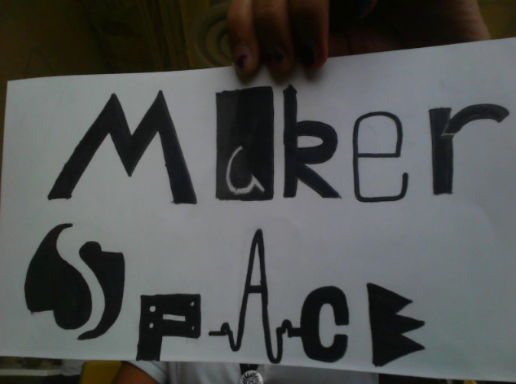
Design 2
This was the design that I hoped against hope that would work. Using the last screen that we had I burned the image onto it and it… Failed. Kind of. The image was burned onto the screen so I got that far at the very least, but there were these weird bubbles from where the emulsion (liquid photo paper) dripped off and it ruined the image. So technically it did work.
So this module didn’t work, but I got to draw a lot of different things trying to find the thing that was best for the screen print, so I had fun.
Almina Orbach ヽ(*’(OO)’)ノ
 ARS Design Lab